Unable to sync FS2020?

vipgroup

SOH-CM-2024
I received a message upon trying to launch FS2020 today, it said it was unable to sync to cloud and I might lose settings. I told it to continue regardless, and it went to steam before continuing. Waiting for it to load up now. anyone else had this? This is new to me, after using the sim since it launched five years ago!
 
You're scaring me Ken!

I'm starting to hate this cloud stuff with a vengeance. Definitely at work!

Jan
 
Ken, that's happened to me several times sporadically with Steam. Just continue and next time all good. I suspect it's in Steam syncing with your playing times. IDK. Haven't seen any consequences though.
 
Ken, that's happened to me several times sporadically with Steam. Just continue and next time all good. I suspect it's in Steam syncing with your playing times. IDK. Haven't seen any consequences though.
A strange one.. But I have had FS2020 on for many hours since, and it worked as usual.
 
Hello,
If that can reassure you, it doesn’t just happen with Steam and the Store also has issues.

This morning, the launch of FS20 was taking place (Europe) but it did not result in the general GUI. In desperation, I stopped the simu by the cross at the top right and tried to restart: there, an error message warned me that the simu was already launched ...
After verification in the task manager, this was not the case.

So I waited a good fifteen minutes and I managed to launch it but everything went as if it were my first launch: the cloud data was lost.
Ultimately, I think that their authentication servers (which are also used by the Steam versions) are saturated or under maintenance and that it bugs at will.
I think that during the day it will be resolved and that soon I will have a message warning me that my local data is more recent than those in the cloud with a request to choose which ones I would like to keep (already arrived several times)

And of course all my settings on my joysticks need to be redone :devilish:
 
Last edited:
Be sure your MS store apps are all up to date. Last couple days they've released updates to many of the apps required for 2020/2024 such as...Game services, Game bar, XBox app etc...
 
Today my MSFS 2020 on PC (win 11) won't run because it trys to upload the 406 mb required update and fails every time. I did update MS Store and XBox and Game Services on my PC, but that did not resolve the problem. Tried running the update from MS Store or Xbox but no success.
 
Today my MSFS 2020 on PC (win 11) won't run because it trys to upload the 406 mb required update and fails every time. I did update MS Store and XBox and Game Services on my PC, but that did not resolve the problem. Tried running the update from MS Store or Xbox but no success.
It´s Sunday !
 
Today my MSFS 2020 on PC (win 11) won't run because it trys to upload the 406 mb required update and fails every time. I did update MS Store and XBox and Game Services on my PC, but that did not resolve the problem. Tried running the update from MS Store or Xbox but no success.
 
 
Open the ...\Official\OneStore folder and make sure there are no files with odd filetypes left over from the attempted update. There should only be uncompressed folders there.
 
Where can I find that OneStore folder locally on my PC please?

I ran all the DISM etc. Commands with no improvement.
 
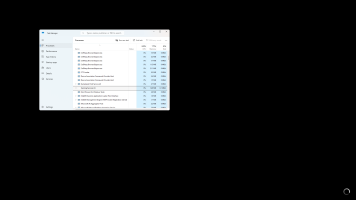
See if task manager has more than one instance of "Gaming Services" running.
Maybe it has become corrupted.
Tell Task Manager to end task.


Screenshot (866).png

- Don
 
Where can I find that OneStore folder locally on my PC please?
If it's in the default location, make sure hidden items are set to visible and then go to C:\Users\(username)\AppData\Local\Packages\Microsoft.FlightSimulator_8wekyb3d8bbwe\LocalCache\Packages. You'll see your Community folder and the Official folder next to it. Inside Official will be the OneStore, and inside that, all of the default content and anything purchased from the Marketplace.

I keep the Packages location pinned to the Quick Access list on the left side of the folder window.
 
Thanks a lot for the advice. Still no luck. It looks like my Windows 11 needs repaired because windows updates seem to be working, but MSFS 2020 just won't update, or now reinstall. Spent almost all day on the phone with tech support.

My wife is just suggesting that I buy a new PC, and probably spring for MS2024 at the same time.

Any good recommendations for a high end desktop brand for FS? FSX and MSFS 2024.
 
Thanks a lot for the advice. Still no luck. It looks like my Windows 11 needs repaired because windows updates seem to be working, but MSFS 2020 just won't update, or now reinstall. Spent almost all day on the phone with tech support.

My wife is just suggesting that I buy a new PC, and probably spring for MS2024 at the same time.

Any good recommendations for a high end desktop brand for FS? FSX and MSFS 2024.
Having good luck with the MSI Codex Series R2 B14NUC7-095US desktop I bought. It came with a RTX 4060 but I've upgraded it to a 5060ti 16GB VRAM.
 
Thanks for all of the helpful advice. I got my MSFS 2020 working again. I reloaded MSFS 2020 to a different hard drive and it finally worked.

While I was working with Microsoft tech support they had me try to load MSFS 2020 from various Admin profiles, and nothing worked, would not even download.

Key was to load from my normal local profile (same one I used when I bought the simulator.) I also made sure that I was properly logged in to my Microsoft account in both the Microsoft Store and Xbox. I also synchronized the time on my PC.

At first the Simulator failed to load in the Microsoft Store - Stuck on Checking Dependencies. Then I ran Xbox as an admin and managed to load the digital ownership first, and then the 2020 Simulator also loaded fine.

MSFS 2020 working again.jpg
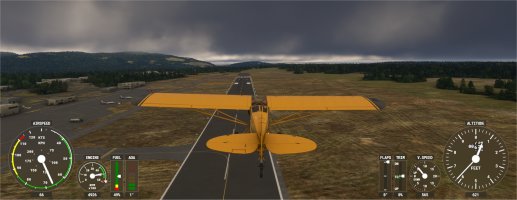
After many hours of updates today, back to normal operation now. :)
 
Back
Top