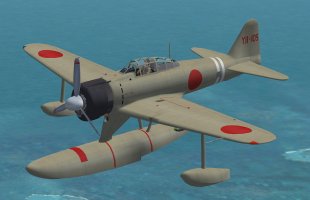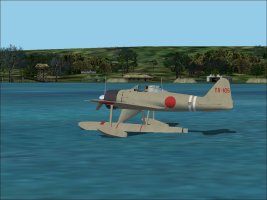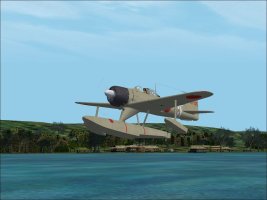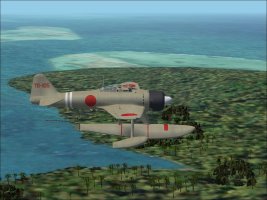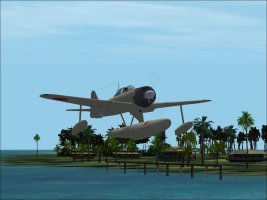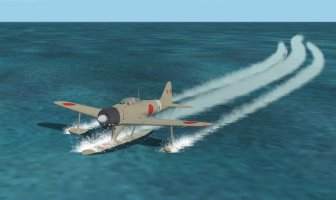
A6M2-N Rufe

A6M2-N Rufe 2026-11-15

No permission to download

Captain Kurt

Administrator
Staff member
Captain Kurt submitted a new resource:

A6M2-N Rufe - Nakajima A6M2-N Rufe

Nakajima A6M2-N "Rufe"

Unit: 11 Koku Sentai based on the Kamikawa Maru seaplane tender, Guadalcanal Oct/Nov 1942

Imperial Japan was the only country during WW2 to use floatplane fighters. The A6M2-N was quickly developed from the A6M2 Zero as a stop gap until the Kawanishi N1K1 "Rex" fighter began production. In the event the N1K1 was delayed and the Rufe was never completely replaced. They were used offensively and to defend occupied islands having no airfields. As such, it was assumed to...

Read more about this resource...A6M2-N Rufe.jpg
 
Thank you so much Captain Kurt for this excellent update to this aircraft. Your "new" panel is a great addition to the plane and is very realistic (y)(y)(y):medals:
Thanck you again
Cheers
Beepee
 
Thank you very much for another super nice airplane, Kurt!:)(y)

I found one issue: After landing on the water, it does not stop with the engine in idle. When I shut down the engine it will stop, but only after a rather long time.
Any ideas what could be the reason?
And, if I may ask, would it be possible to add some water spray effects?

5.jpg

7.jpg9.jpg

10.jpg
 
Yeah, same here. Very sharp ride tho' (y) ....I like the flight dynamics too.

So, as a quick solution we have to add more drag to the flaps and make sure we lower full flaps on touchdown for braking while avoiding short water runways. Land long and use the extra runway to taxi to your berth.
 
This info ironically is from Bearcat241 some 9 years ago:

"The other problem with "continued rotation" long after shutdown suggests erroneous data somewhere in the prop sections of the *.air file, i.e. 510, 511 and 512. Using AirEd, the quickest remedy is to find another model with similar prop dimensions and blade count and copy its sections 510, 511 , and 512 to paste/overwrite into the same sections of the offending model.

Records 508 and 509 can only be edited in hex, as they are graphical mini charts in their display. Most people aren't going to venture into that briar patch without extensive experience in hexing air files. That's why i intentionally omitted these two from the conversation as they don't really need to be addressed if the other mentioned records are dealt with appropriately. The biggest culprit in the continuous spinning prop syndrome is the prop MOI in 510. Lower is better, somewhere around 30 to 35 should do. This is actually the only specific entry that allows one to text edit rotation friction in the air file in one step.

If you step outside the standard CFS2 setup where all of the engine and prop data are in the air file and go with the FS2004/CFS2 config, you can text edit the aircraft.cfg likewise to match the air file data. This is taken from the cfg of my customized "stock" Corsair:


[propeller]
thrust_scalar = 1.432
propeller_type = 0
propeller_diameter = 13.33
propeller_blades = 3
propeller_moi = 53
beta_max = 65
beta_min = 15
min_gov_rpm = 405

prop_tc = 0.01 "

Regarding a wake:

I am aware there is some way to attach a wake to a floatplane using the DAP_CFS2v1.gau gauge and a wake effects fx file but I don’t now how to make it work. It’s not as simple as just putting the gauge on the panel a a wake effect into the effects folder. I know Allen has done it so maybe he can explain how to make it work.
 
Thanks for mentioning that CK. I thought to bring it up, but after years of CFS2 idleness I'm not the airfile mechanic I used to aspire to be. :giggle:

Personally, I've found the wake effects to be a little annoying when the models are idle and stationary on the water. And the effect can totally obscure the model in close up external viewing sometimes. I thought about adding it to yours but the model is too pretty to have my viewing blocked, for now. Maybe later if the mood strikes...

But if you find the need and the method that suits you, I'm here for it.
 
Back
Top