Hello,
With temperatures too high in Europe, the last two months have not been very productive, air conditioning in private homes is not very common in Europe, so working at 40°C is impossible for me (heart problems). I can only work properly between 8 and 12 o'clock, so it hinders me a lot.
Nevertheless, I was able to add and test the following functions on my v0.53 version (dev. version):
- safety lights for gears are modelized and coded (unsafe warning and green lights) on the central panel
- safety gear lever for gears is implemented and coded (red light) on the pedestral
- caution light for oil quantity is implemented on the DC-4
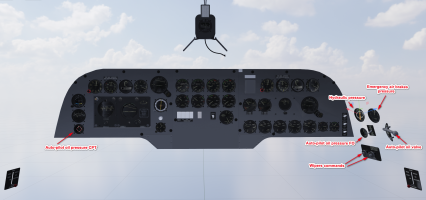
- caution for oil and fuel pressures are implemented on the C-54
- the "deicing" switches on the overhead for each aircraft
- the oil dilution switches on the overhead for each aircraft
- the switches for controlling the lights and spotlights on the overhead for each aircraft
- the orientation of landing lights for each aircraft.
All has been tested on FS20 but
also with FS24.

Now in the v0.53 version, the wheel lever is provided as indicated in the manual with a small lever (
such as a "spring") that locks the gears lever when the wheels are lowered but also when they are raised.
The 3 green lights indicate that the gears are down and locked, the red light (on the left of these warnings light) is on and
the siren sounds (
to be encoded in the sound files) when the lever is not locked by the security system.

The work on sounds (WWISE and Legacy sound mixes) has started and I am rereading my notes that I took when creating the Aéronca, which was my first test on this point.
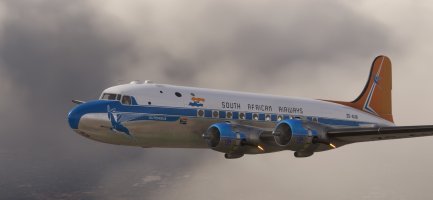
With the previous XML code the exhaust flams were "static" when the throttle were at 100%. To modify this I have changed the code in order to use "THROTTLE - 10%" as parameter to manage the effect and adding a light fluctuation in the animation with each engine vibration, so now each flam has its proper animation even when the throttle is at 100%.