H2S Mod For MAW

H2S Mod For MAW 1

No permission to download

MajorMagee

SOH-CM-2022
MajorMagee submitted a new resource:

H2S Mod For MAW - H2S

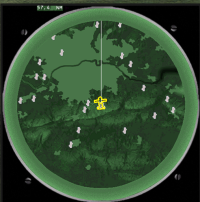
This pack changes the in game map to look like an H2S ground mapping radar screen.

It's provided in a JSGME compatible format, but you will need to edit the folder name inside the mod (CFS3 Mediterranean Air War) to match your particular install name for MAW.

It includes a modified game map that produces a version of what the terrain might look like on radar.

View attachment 165733
This has been adjusted slightly to correct a location offset that exists with the stock map so...

Read more about this resource...
 
Andy, Can you do one for Europe as I seem to be having no end of trouble trying to get mine to work to look like this

I assume using the TAC display and not the map, not that I mind which is used


h2s map display illustration.jpg
 
I remember this took a lot of work to get the map scaling correct. I'm currently working on an IL-2 project, but I can put this on the list for my next effort.
 
Much appreciated Andy. I have no idea why I can't even get the old map as shown to work, but any new improved map as per the MAW one would be excellent.
 
Okay, I almost have it, but have run into a compatibility issue.

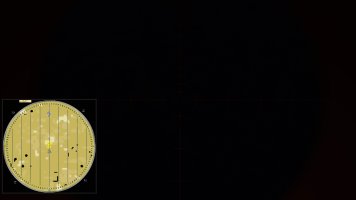
With UseD3D9Ex=1 set in AnKor's d3d8.ini, the game runs fine with no out-of-memory crashes (RTX 5070-Ti), but displaying the map using an H2S bmp overlay that has a transparent color causes the FPS to drop from 97 to 12 (slideshow). I've tried a variety of files substitutions and the H2S overlay (attached) is definitely the cause of the stuttering. It's not particularly big, so I'm thinking it's some routine in AnKor's display code that is having an issue with this functionality.

Setting UseD3D9Ex=0 solves the FPS problem with the overlay, but then I get random out-of-memory crashes to desktop as I look around in different directions when I'm near a city.

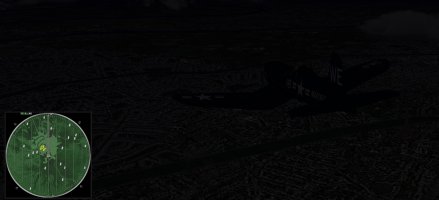
As it stands now, the map looks great, but it's not really usable unless you pause the game while the map is displayed.

Screenshot 2026-05-12 233041.jpg
Over Paris near the Eiffel Tower.
 

Attachments

  • Overlay Bitmap.zip
    41.3 KB · Views: 1
It seems to be related to the numerous lines, numbers, and tic mark details that are fueling the big slowdown. Just making the central area transparent triples the display speed to 36 fps. Slow, but still flyable versus the slideshow you get with the more accurate overlay.

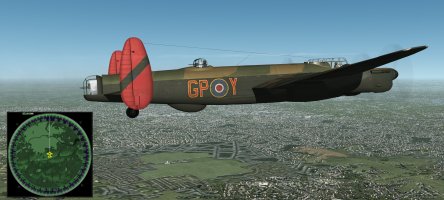
1778729206005.png
Biggin Hill
 
Back
Top